A clear photo handover for every AC installation.
Give your customer a clear record of a split-system installation. Bring unit photos, visible connections, recorded checks and handover notes into one PDF, ready to share from your Android phone.
Available on Android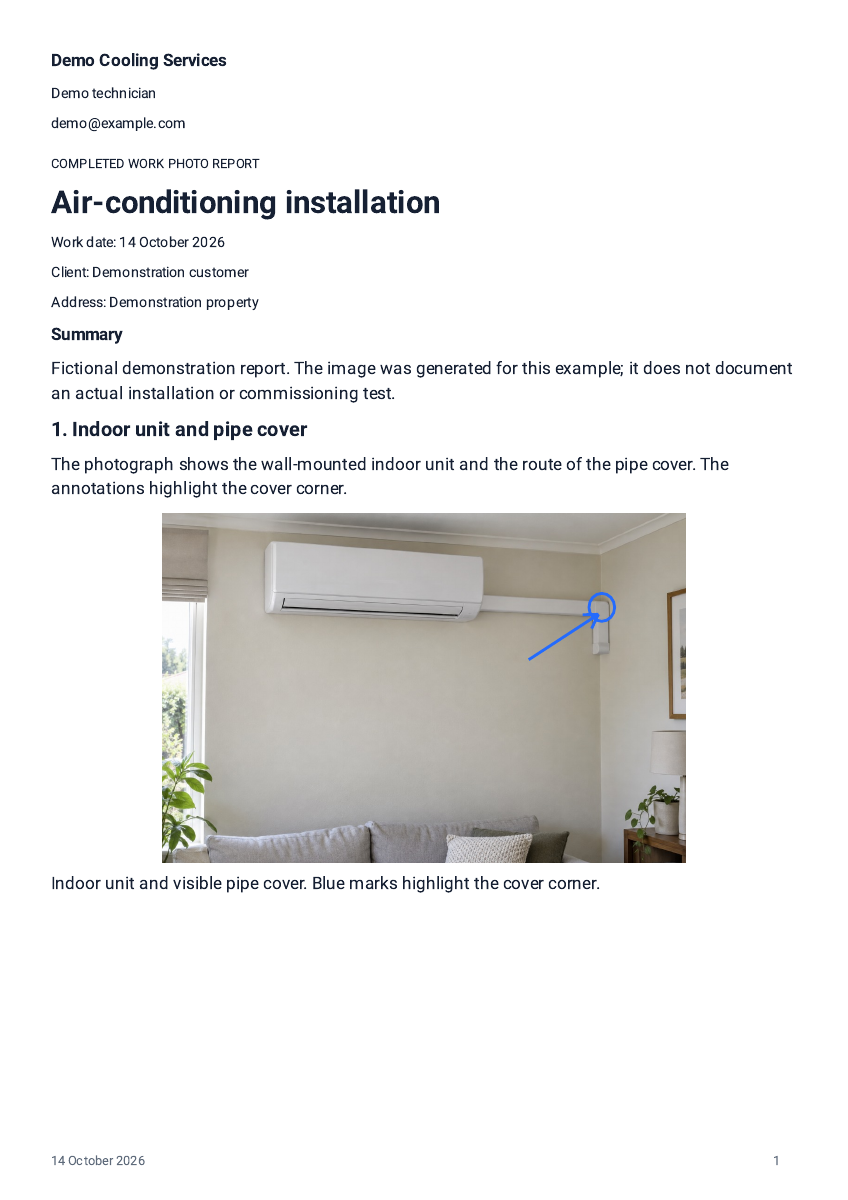
Demonstration export with fictional job details; not a customer case study.
What to photograph on an installation visit
An installation photo report works best when it follows the visit itself. Start with the installation location, then the indoor and outdoor units when they are safely accessible, the visible pipe-cover route and connections, the finished work, and any checks you actually performed. Photographing the visible finish — straight pipe covers, tidy connections, a clean wall penetration — shows the standard of the installation in a way words struggle to.
Keep to visible work. Never open live equipment or carry out technical work for the sake of a photo. Reportago does not take measurements and does not certify an installation; commissioning values appear in the report only when you measured and entered them yourself.
- Installation location before and after fitting
- Indoor and outdoor units, when safely accessible
- Visible pipe-cover route, connections and wall penetration
- Finished work at each unit
- Checks you actually performed and recorded
The one-photo demonstration on this page is a fictional example export. It is not a commissioning certificate and not a record of a real installation.
A copyable installation report outline
Templates in Reportago start clean — no previous client's photos or details — and empty sections you leave unused do not appear in the PDF. Use the outline below as a starting point and adapt it to your installation visits.
Job details
Installed equipment
Visible connections and finish
Recorded checks
Handover notes
From photos to PDF in three steps
The same flow works on an installation day as on any other job.
- Take or import photos directly in the report's work sections as you go.
- Add factual captions and, where it helps, arrows or circles on the visible details — the original photos stay intact.
- Tap Show PDF to review the handover document, then share it with the customer.
Practical details
Reports are created and edited locally on your Android device, offline, with no Reportago account. Reuse your company details and a saved worker signature, keep editable backups under your control, and revisit generated PDF versions whenever you need them. If your handover process includes a customer sign-off, a client can optionally sign on the screen; these are not certified digital signatures, and a generated PDF does not confirm the customer received it.
Reportago is free to download. Your first five reports include all features for free; after that, creating more reports requires one Lifetime purchase, with the final local price shown in Google Play. No subscriptions or timed trials.
This guide covers split-system installation handovers. If you work across other HVAC services, the same photo-and-caption approach applies, but this page does not claim to cover every HVAC service.
A few practical questions
Does Reportago measure or certify the installation?
No. Reportago records what you photograph and type. It takes no measurements and certifies nothing. If you measured commissioning values, enter them and they appear in the report as your recorded checks.
Should I photograph inside the outdoor unit?
Never open live equipment for a photo. Photograph what is safely visible: the unit, its mounting, the pipe-cover route and the finished connections.
Can the report include a customer signature?
Yes, optionally. A client can sign on your screen during handover, or you can add a saved worker signature. These are report additions, not certified digital signatures.
What does it cost?
Reportago is free to download. Your first five reports include all features for free; additional reports require one Lifetime purchase, with the final local price shown in Google Play. No subscriptions, no timed trials.
A cleaner handover starts with one photo.
Free to download. First five reports free, then one Lifetime purchase.
 Available on Android